Bracket orders, post-only, reduce-only: every order option explained
The full set of order types and execution flags Hex37 supports, and when to use each.
7 min read
The order form has more options than most users explore. Each one exists for a reason. Here is a tour of the order types and flags.
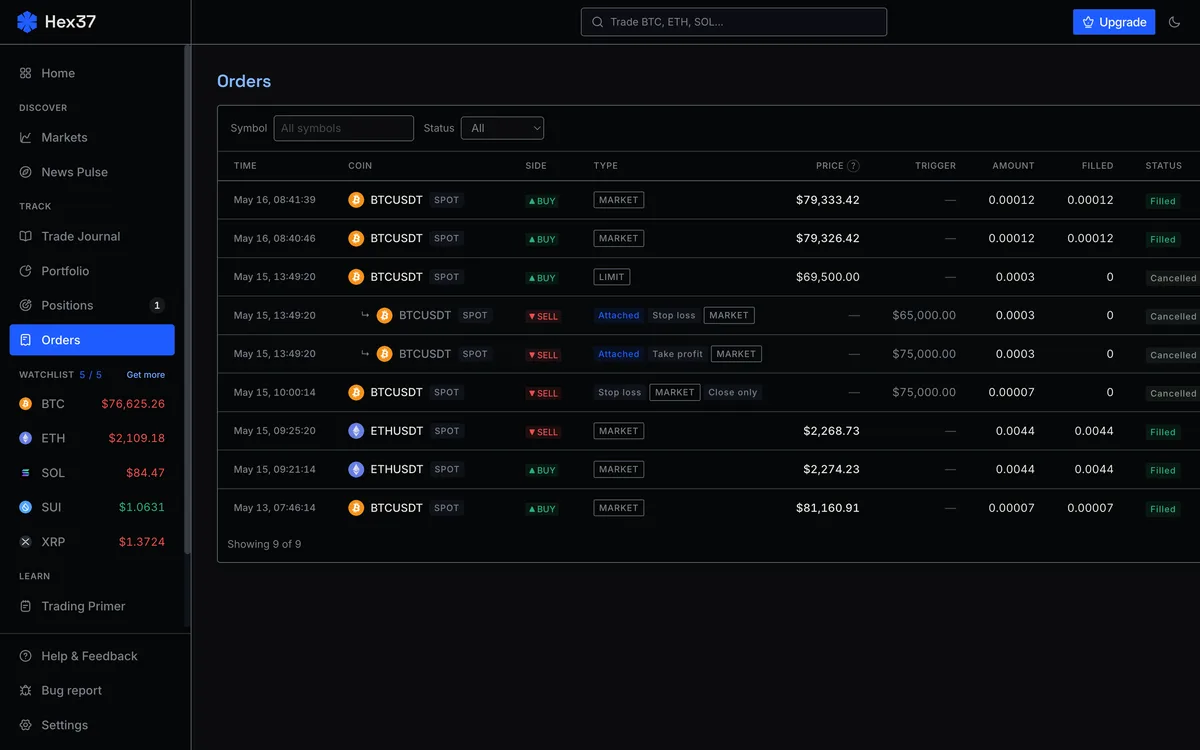
The base order types
Market. Fills now at whatever the book gives you. Always taker.
Limit. Sits on the book at the price you set. Maker if it does not immediately match.
Stop-market. Triggers a market order when the trigger price is hit. Standard stop-loss.
Stop-limit. Triggers a limit order at a specified limit price. Protects against runaway slippage in fast moves.
Trailing stop. Moves with the market in your favor and stays put when it moves against you.
Bracket orders
A bracket order is a single submission that opens a position and attaches a stop-loss and take-profit. The two child orders are an OCO pair: when one fires, the other cancels. We strongly recommend turning the bracket toggle on by default.
Order flags
Post-only
Tells the exchange to reject the order if it would otherwise fill as a taker. Use on patient limit entries where the maker fee tier matters.
Reduce-only
Tells the exchange this order can only decrease an existing position. Critical for stops and take-profits. Hex37 sets reduce-only automatically on bracket children.
Time in force
- GTC — sits until you cancel. Default.
- IOC — fill what you can right now, cancel the rest.
- FOK — fill the entire order right now, or cancel completely.
Stop trigger reference
- Last price — most recent trade. Volatile. Wicks can fire your stop.
- Mark price — smoothed composite. Recommended default.
Margin mode
- Isolated — dedicated margin per position. Recommended default.
- Cross — all account collateral defends every cross position.
Pragmatic defaults
- Limit + post-only on patient entries.
- Bracket toggle on, reduce-only on children (automatic).
- Mark-price triggers on stops.
- Isolated margin.
Frequently asked questions
What is a bracket order?
A bracket order is a single submission that opens a position and attaches a stop-loss and take-profit as OCO children. When one child fires, the other automatically cancels.
Should I always use post-only?
Use post-only when you can be patient and want guaranteed maker pricing. The cost is occasional rejected orders. For urgent fills, leave it off.
Why default to mark price for stop triggers?
Mark price is the smoothed composite reference, the same price used to compute liquidations. It filters out single-tick wicks that would unfairly fire stops on a last-price trigger.