Your first trade lab order in 5 minutes
From sign-up to a filled order. The fastest path through Hex37 for a first-time user.
5 min read
Hex37 drops you in with a $10,000 simulated balance and live crypto market data. Here is how to go from a fresh account to your first filled order without getting lost.
1. Sign up
Click Start Free on the landing page or go directly to /register. You need an email and a password. No card, no KYC, no funding. Verify the email and you are in.
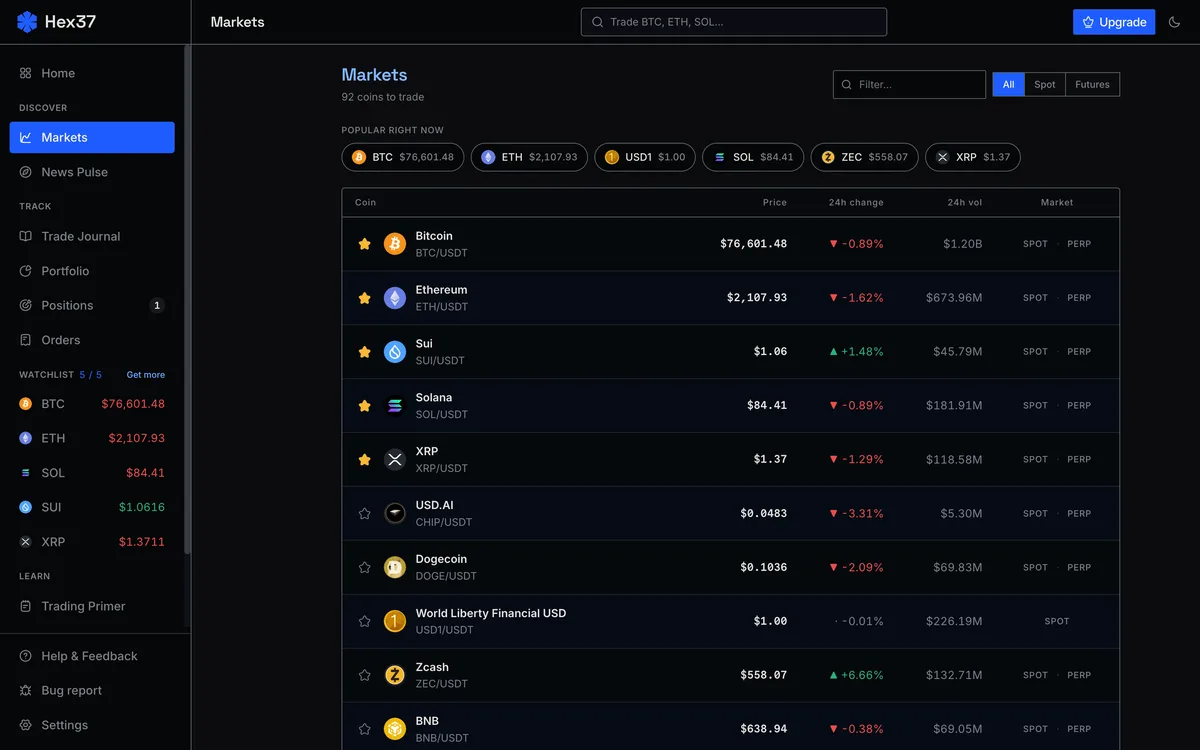
2. Pick an instrument
Click Trade in the top nav, or just go to /app/markets. You will see a grid of every supported instrument with live prices. For a first trade, BTC/USDT is the friendliest. Liquidity is deep, spreads are tight, and there is plenty of activity to watch.
3. Read the workspace
- Chart on the left, with a timeframe switcher (1m, 5m, 15m, 1h, 4h, 1d).
- Order form on the right.
- Bottom rail with tabs for Orders, Positions, Trades.
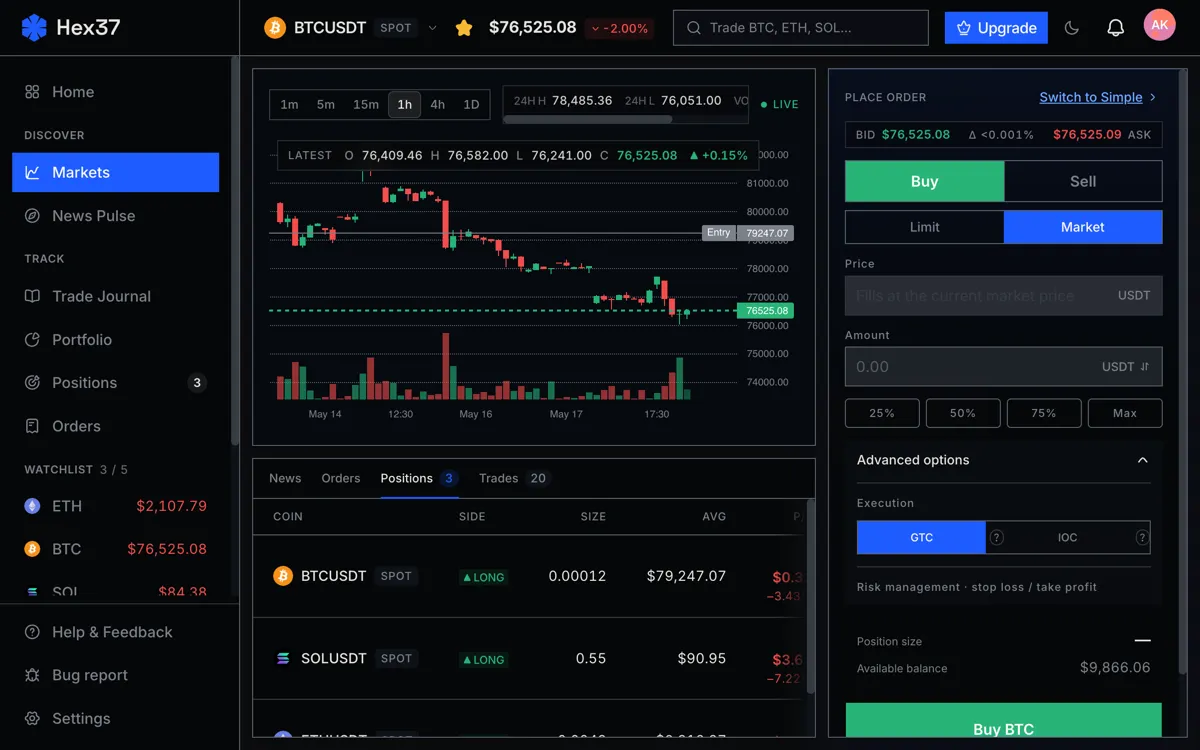
4. Set up the trade
- Pick a side: Buy or Sell.
- Pick Limit as the order type. It is the right starting choice.
- Use the position sizer instead of typing a quantity. Enter your stop price and the percent of account you want to risk.
- Toggle on a bracket order so your stop and target ride along with the entry. The single best habit to build on day one.
5. Place it
Click Place order. A confirmation banner appears showing the order's status. If it says pending, the order is on the book waiting for a fill. If it fills immediately, you will see the fill notification and a new row in Positions.
What to do next
- Read how to use the trade lab for Bitcoin futures for the futures-specific walkthrough.
- Take 20 to 30 trades and let the journal accumulate data. The patterns it surfaces are worth more than any single tip.
Frequently asked questions
Do I need to verify my email before placing my first trade?
No. You can place a trade immediately after signing up. Email verification is required for some account actions but not for the first trade.
Is the $10,000 balance real money?
No. It is a virtual balance for the trade lab. You cannot withdraw it or convert it to real money.
Why did my market order not fill instantly?
The matching engine simulates real exchange behavior including probabilistic fills. A market order fills against current resting liquidity with realistic slippage rather than a perfect mid-price fill.